Sending messages to groups from address book
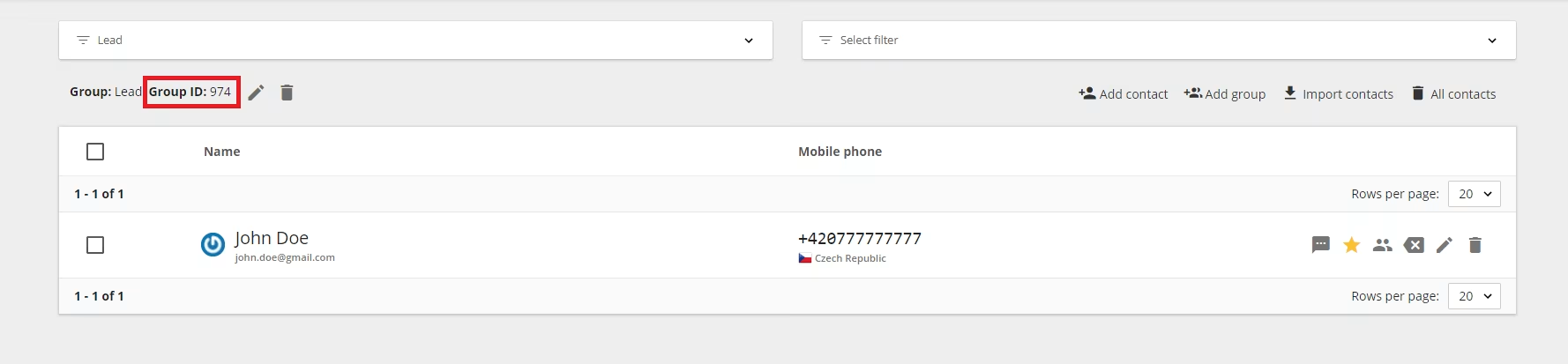
You can send message to contacts saved in groups in BulkGate address book via Advanced API. All you have to do is to enter specific group identifiers into the groups parameter. You can find this identifier in the group detail.
Example of the request:
It is possible to add variables that can be replaced by a specific value from the directory before sending the message.
The final message then looks like this:
Here is the complete list of variables:
| VARIABLE | MEANING |
|---|---|
<title_before> |
Title before the name |
<first_name> |
First name |
<last_name> |
Last name |
<title_after> |
Title after the name |
<first_name_vokativ> |
First name vokativ for czech language |
<last_name_vokativ> |
Last name vokativ for czech language |
<company_name> |
Company name |
<phone_mobile> |
Mobile phone number |
<email> |
Email address |
<url> |
Website address |
<street1> |
Street 1 |
<street2> |
Street 2 |
<city> |
City |
<zip> |
Zip code |
<state> |
Region |
<country> |
Country |
<company_number> |
Company registration number (CRN) |
<company_vat> |
VAT |
<custom_field_0> |
Custom field |
<custom_field_1> |
Custom field |
<custom_field_2> |
Custom field |
<custom_field_3> |
Custom field |
<custom_field_4> |
Custom field |
<custom_field_5> |
Custom field |
<custom_field_6> |
Custom field |
<custom_field_7> |
Custom field |
<custom_field_8> |
Custom field |
<custom_field_9> |
Custom field |
<custom_field_10> |
Custom field |
<custom_field_11> |
Custom field |
<custom_field_12> |
Custom field |
<custom_field_13> |
Custom field |
<custom_field_14> |
Custom field |
<custom_field_15> |
Custom field |
<custom_field_16> |
Custom field |
<custom_field_17> |
Custom field |
<custom_field_18> |
Custom field |
<custom_field_19> |
Custom field |
Was this page helpful?
Thank you for your feedback.