API IP restrictions
What the IP restriction is for
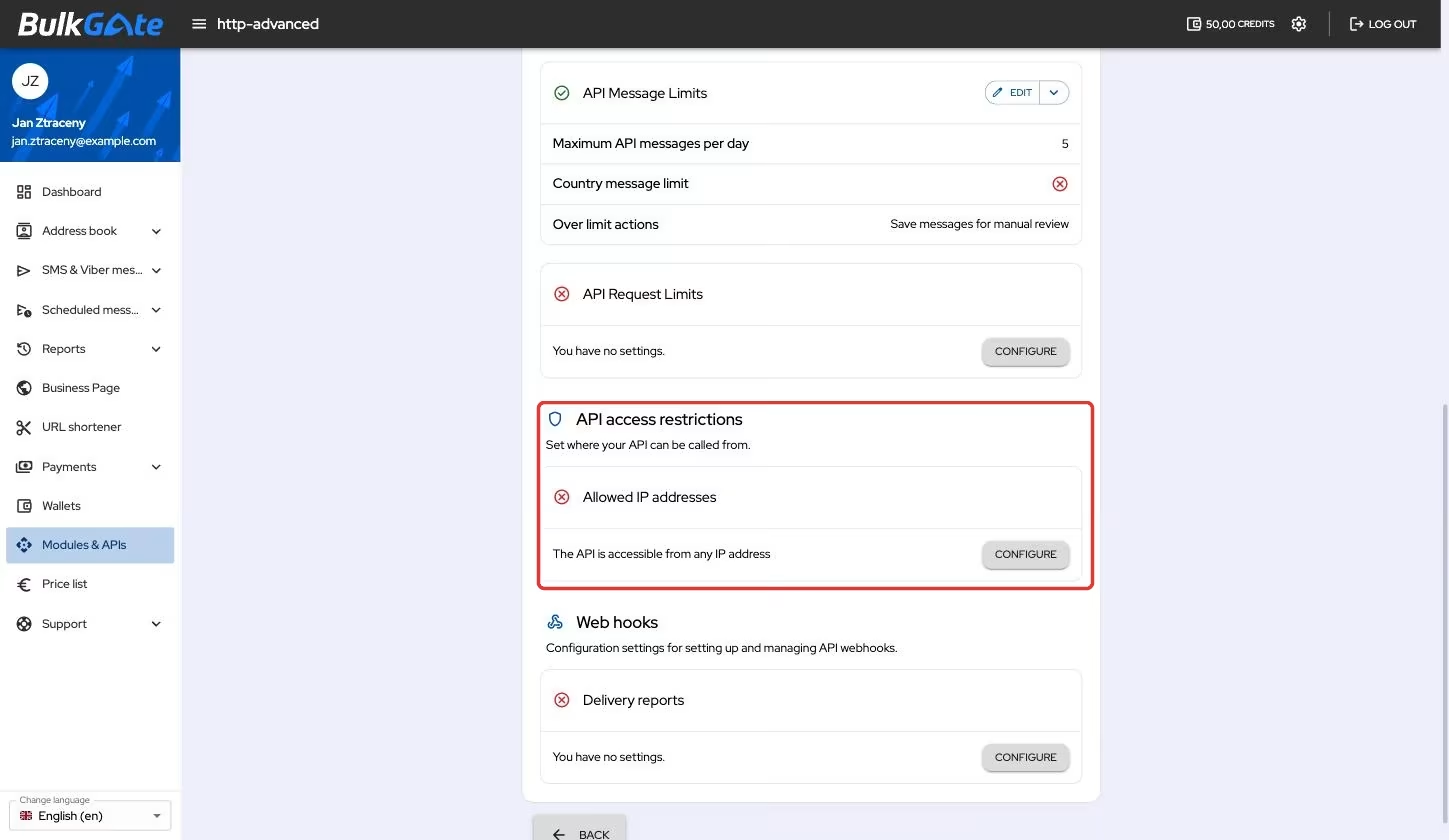
As long as the list of allowed addresses is empty, the API accepts requests from
anywhere — the portal says so with the text The API is accessible from any IP address. The moment you add the first address to the list, the API starts
serving only requests that arrive from the addresses listed.
None of your credentials expire because of it. Both the Application ID and the API token stay valid, they just cannot be used from anywhere other than an allowed address.
Where to set the restriction
- Click
Modules & APIsin the portal menu - Under
My APIs and Modulesclick the card of your application - Stay on the
Settingstab and scroll to theAPI access restrictionspart - On the
Allowed IP addressescard clickConfigure - Type the address into the
Enter the IP addressfield and clickAdd
The Add IP address window points this out right away with the message The API will only be accessible from the listed IP addresses! — the restriction takes
effect as soon as the first address is saved.
Enter the address your application calls the API from, not the address of the computer you are configuring this on. After saving, the portal does not verify that anyone actually connects from the address you entered.
Which addresses the portal accepts
| Rule | Behaviour |
|---|---|
| One specific address | IPv4 and IPv6 alike; ranges and mask notation (/24) are not accepted |
| Public addresses only | Local and reserved ranges end with the message Enter a public IP address, local and reserved ranges cannot be used |
| Valid notation | A nonsensical value ends with the message Invalid IP address |
| No duplicates | An address already on the list cannot be added twice |
The non-public ranges include 10.0.0.0/8, 172.16.0.0/12, 192.168.0.0/16,
127.0.0.0/8 and, for IPv6, fc00::/7 or fe80::/10. The Add button stays
disabled until the value you entered passes.
An address written as IPv4 embedded in IPv6 — that is ::ffff:1.2.3.4 or the
6to4 form 2002:… — is converted by the portal to the matching IPv4. The number
of addresses on the list is not limited.
How to edit the list or remove the restriction
Once the first address is added, the card turns into a list. The Add button
adds another address and the bin icon on a row removes one — you confirm the
removal with the Delete button. The arrow next to Add opens a menu that
clears the whole list at once.
As soon as no address is left on the list, the restriction is switched off and the API is reachable from anywhere again.
What happens to a request from another address
A request from an address that is not on the list ends with a response with HTTP
code 401 and the error type unknown_identity — the same one an invalid token
returns. The remaining errors are listed on the
API error types page.
Thank you for your feedback.