API request limits
What the request limit restricts
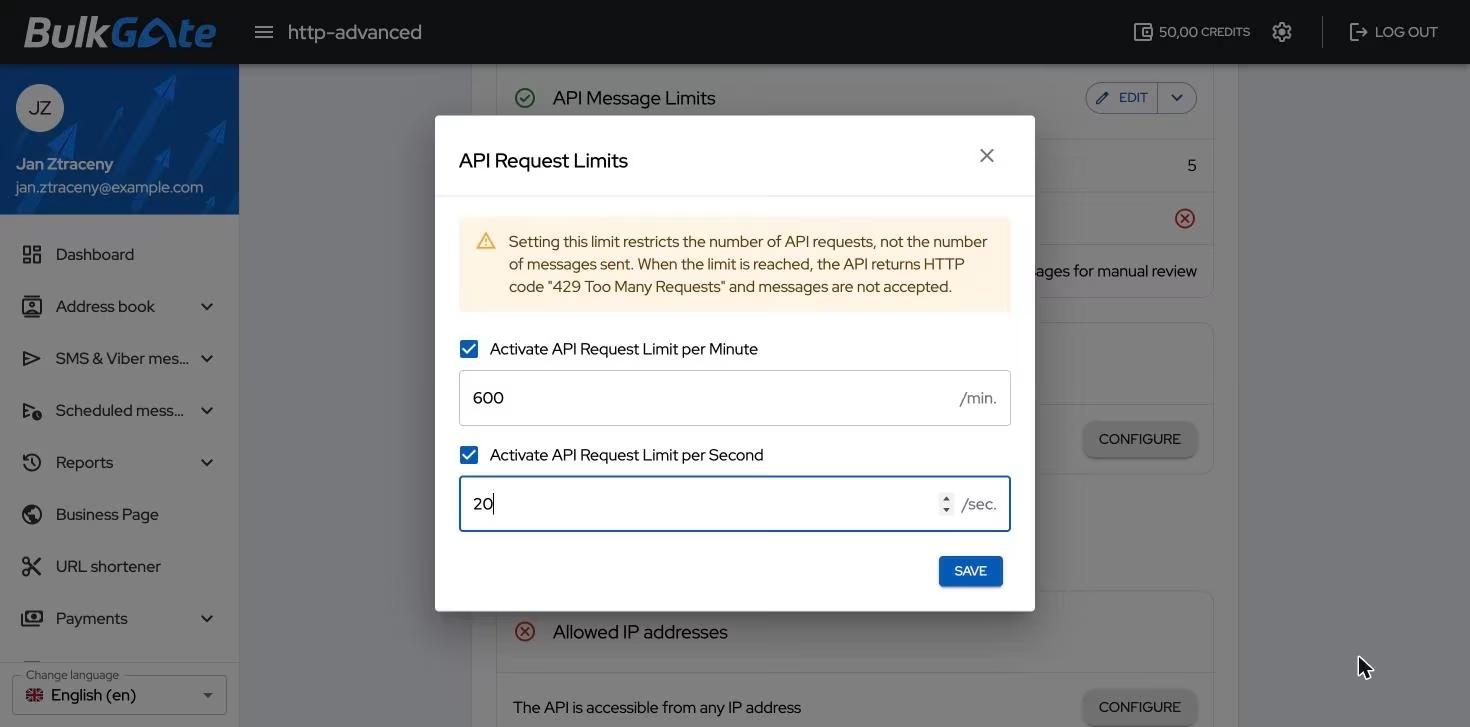
A request limit watches how often your application may call the API — that is the number of requests, not the number of messages sent. The portal points this out in the settings itself:
Setting this limit restricts the number of API requests, not the number of messages sent. When the limit is reached, the API returns HTTP code
429 Too Many Requestsand messages are not accepted.
A single request can carry hundreds of messages, so this limit protects something different from API message limits — it watches the pace of your calls, not the volume you send.
When the limit is used up, the API rejects the whole request. The messages in it are not stored anywhere and are not sent later — unlike the message limit, where messages over the limit are handled by the over limit action you set.
Where to find the limit
- Click
Modules & APIsin the portal menu - Under
My APIs and Modulesclick the card of your application - Stay on the
Settingstab and scroll to theAPI limitspart
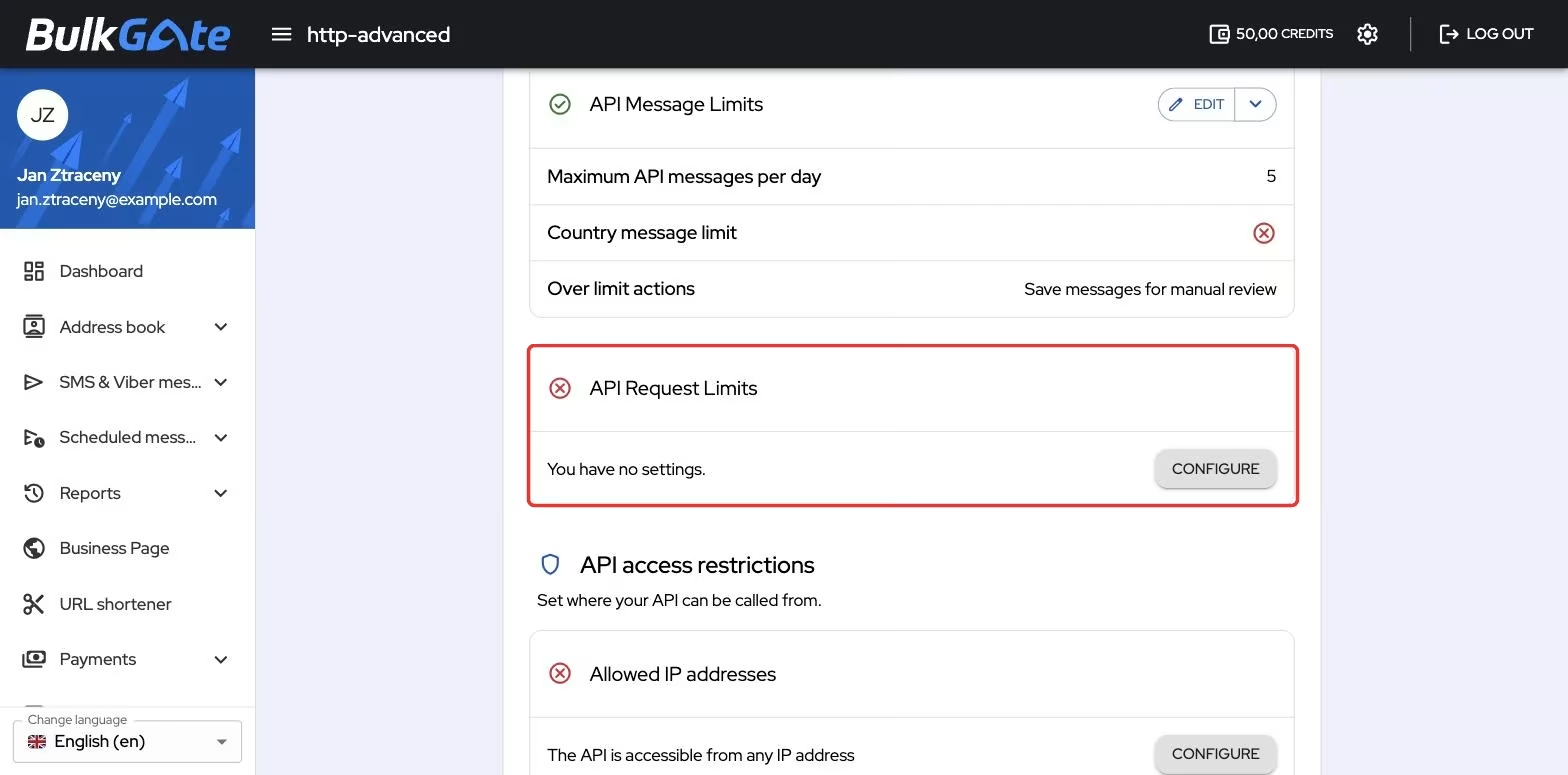
The API Request Limits card shows the values in two rows — Maximum requests per minute and Maximum requests per second. As long as nothing is set, it shows
You have no settings. and a Configure button.
How to set the limit
The Configure button (or Edit, if you already have a limit) opens the API Request Limits window with two independent options:
| Option | What it sets |
|---|---|
Activate API Request Limit per Minute |
How many requests the application may send within one minute |
Activate API Request Limit per Second |
How many requests the application may send within one second |
Ticking an option reveals the Enter the Number of Requests field. You can turn
on either one of them, or both at once.
Two rules govern the setup:
- the smallest acceptable value is
1— otherwise the portal warns you withMinimum value is 1 - if you turn on both options, the per-second limit must not be greater than the
per-minute one; otherwise you get
The value must not exceed requests per minute
The Save button stays disabled until both rules hold — and also until you
change the values against what is already stored.
How the limit is counted
The counter is tied to the calendar second and minute, not to a sliding window. The moment a new second begins (a new minute for the per-minute limit), the counter starts again from zero.
The per-second limit is good for smoothing out spikes, the per-minute one for the overall pace. When you set both, they apply together — a request goes through only when it fits within both.
How to remove the limit
The arrow next to the Edit button opens a menu with the Delete option. The
Delete API Request Limits confirmation window asks Are you sure you want to delete the API request limits? — once confirmed, the API no longer restricts the
pace of your calls.
Thank you for your feedback.