Nothing found
-
Address book
-
Campaigns
-
SMS
- Sender ID profile
- Sender type
- Unicode
- Message concatenation
- How to register a sender
-
Text sender ID registration
- Albania
- Australia
- Austria
- Belarus
- Bosnia and Herzegovina
- Bulgaria
- Croatia
- Czechia
- Finland
- Ghana
- India
- Ireland
- Israel
- Italy
- Ivory Coast
- Jordan
- Kenya
- Montenegro
- Morocco
- Mozambique
- Nigeria
- North Macedonia
- Philippines
- Qatar
- Romania
- Russia
- Serbia
- Slovenia
- Spain
- Thailand
- Turkey
- Ukraine
- United Arab Emirates
- United Kingdom
- United States of America
- Prohibited SMS content in the USA and Canada
- DND (Do Not Disturb)
-
Mobile Connect
-
Partner programs
-
Integrations
-
E-commerce modules
-
Make (ex Integromat)
- vTiger
-


Measuring click-through rate
How can you measure the click-through rate of your campaign?
If you want to measure click-through rates, you need to use our URL shortener when you create your campaign. You pick the short domain in the campaign from the Short domain list — currently ur7.wf, ms6.fr, ur7.yt, ur7.tf, ms6.wf, ms6.tf and track-message.com. The offer may differ depending on your account.
Note
In case you use a different shortener than ours, you will not be able to measure the click-through rate.
How to display the click-through rate value
To view the click-through rate value:
- Click on
Reportsin the menu on the BulkGate Portal - Click on
History. - Click on the
Campaign dashboardicon on the right side of the row for the campaign you are interested in. - Click
Analyticsin theDashboardmenu. - In the
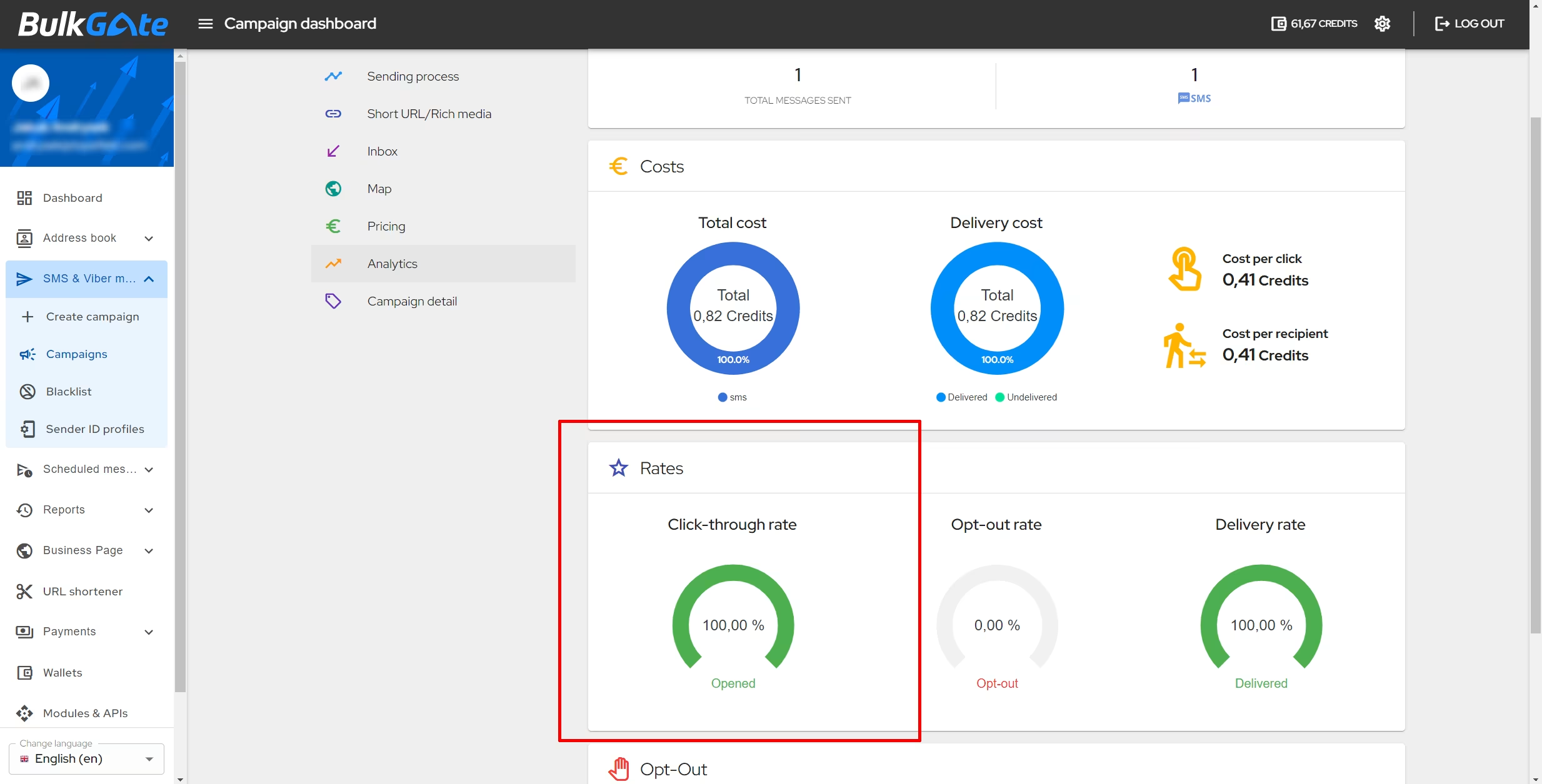
Ratessection on the left, you will see theClick-through ratein percentages for the campaign you selected.
Was this page helpful?
Thank you for your feedback.