Nothing found
-
Address book
-
Campaigns
-
SMS
- Sender ID profile
- Sender type
- Unicode
- Message concatenation
- How to register a sender
-
Text sender ID registration
- Albania
- Australia
- Austria
- Belarus
- Bosnia and Herzegovina
- Bulgaria
- Croatia
- Czechia
- Finland
- Ghana
- India
- Ireland
- Israel
- Italy
- Ivory Coast
- Jordan
- Kenya
- Montenegro
- Morocco
- Mozambique
- Nigeria
- North Macedonia
- Philippines
- Qatar
- Romania
- Russia
- Serbia
- Slovenia
- Spain
- Thailand
- Turkey
- Ukraine
- United Arab Emirates
- United Kingdom
- United States of America
- Prohibited SMS content in the USA and Canada
- DND (Do Not Disturb)
-
Mobile Connect
-
Partner programs
-
Integrations
-
E-commerce modules
-
Make (ex Integromat)
- vTiger
-


Low credit alert
A low credit alert lets you know before your credit runs out and sending stops. You set it up separately for each wallet and it arrives by SMS, email or both — to the administrators you choose.
How to set up the alert
- Click
Walletsin the left menu and open the wallet you want the alert for. You can also reach the main wallet throughPayments>Billing information. - In the right-hand
Notificationscolumn you will find theLow credit alertblock. - Enter the value you want to be alerted below into the
Limitfield. - Tick the
Emailchannel, theSMSchannel, or both. - For each ticked channel select the administrators who should receive the alert. The selection opens automatically; later you can change it with the
Change administratorsbutton. - Save the settings with the
Savebutton in the bottom right corner of the screen.
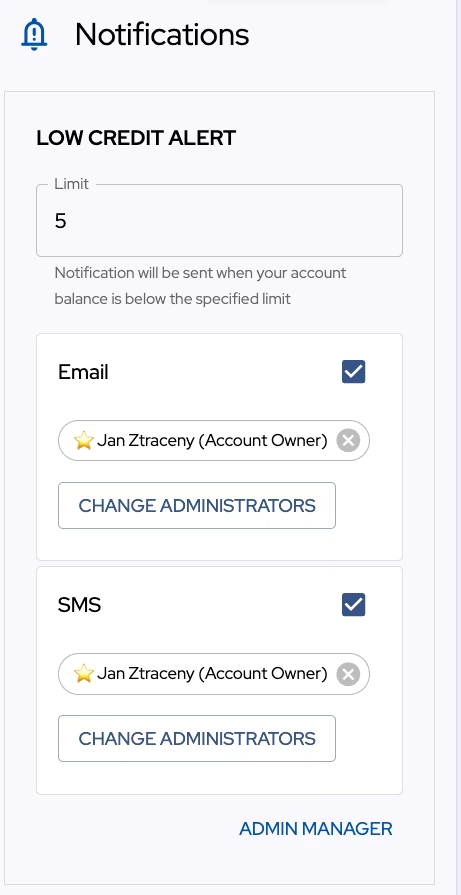
The lowest possible limit is 5. A lower value is raised back to 5 when saved. The limit uses the same units as the wallet balance — credits, or the currency of the wallet.
A wallet that is only linked to you by someone else is Read only. Only its owner can change the alert on it.
Who receives the alert
The recipients are notification administrators, not portal users. The account owner is always on the list — shown as ⭐ Account Owner, using the name, phone number and email from your account, and cannot be edited or deleted.
The administrator list is shared across the whole account, so you pick the same people for your other wallets. Use the Change administrators button to change the recipients of a channel:
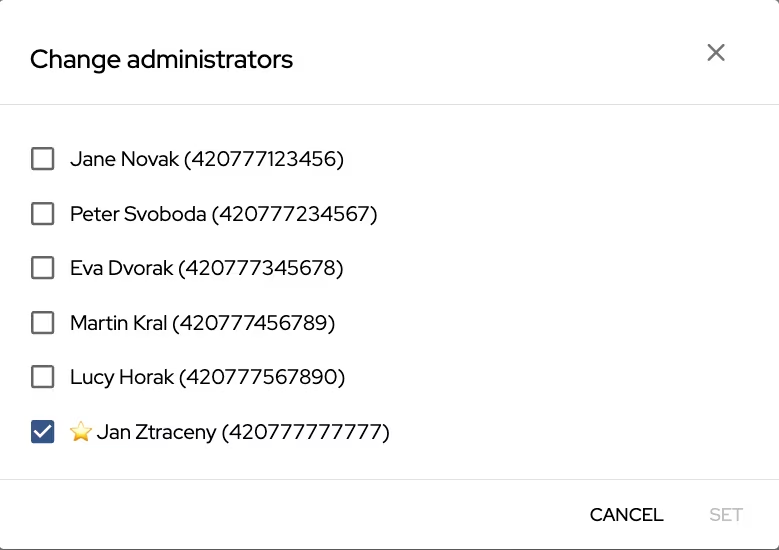
SMS uses the administrator's phone number, email their email address. Select at most 10 administrators per channel.
How to add an administrator
- Click
Admin managerin theLow credit alertblock. - Click
Add administrator. - Fill in
First name,Last name,Phone numberandE-mail. TheSavebutton stays inactive until all four fields are filled in. - Click
Save.
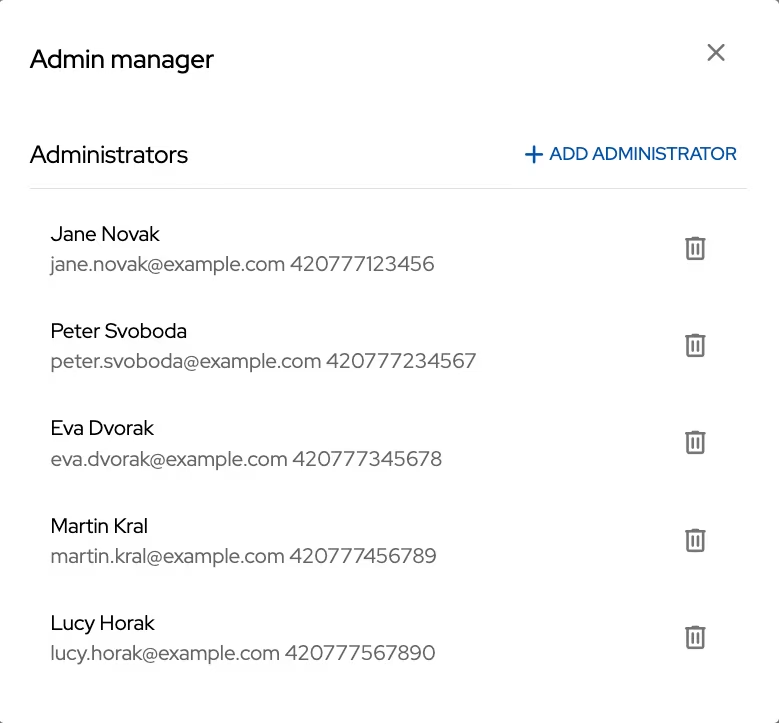
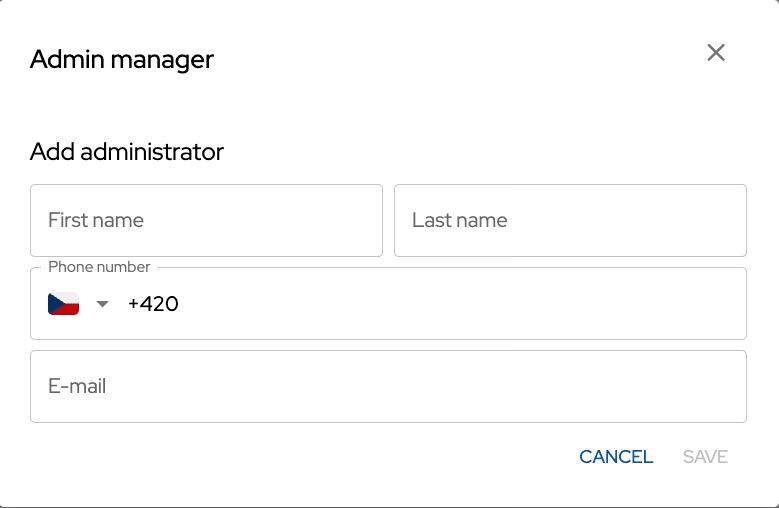
A newly added administrator appears in the selection of both channels right away. In Admin manager you can also edit an existing administrator (by clicking the row) or delete them with the bin icon.
When the alert is sent
The alert is sent as soon as the wallet balance drops below the limit you set. If you do not top up, the portal repeats the reminder up to three more times — always the next day at 9:00 in the time zone of the wallet. Topping up cancels the remaining reminders.
What happens when the credit runs out
When the wallet does not have enough credit left, sending is paused and the messages stay in the queue. Once you top up, the queue continues.
You can see the waiting messages on the Top up credit page in two queues — Transactional queue and Promotional queue. Messages you no longer want to send can be removed with the Remove outbox button of the respective queue.
For payment details see Topping up credit. You can also transfer credit from another wallet.
Thank you for your feedback.