Nothing found
-
Address book
-
Campaigns
-
SMS
- Sender ID profile
- Sender type
- Unicode
- Message concatenation
- How to register a sender
-
Text sender ID registration
- Albania
- Australia
- Austria
- Belarus
- Bosnia and Herzegovina
- Bulgaria
- Croatia
- Czechia
- Finland
- Ghana
- India
- Ireland
- Israel
- Italy
- Ivory Coast
- Jordan
- Kenya
- Montenegro
- Morocco
- Mozambique
- Nigeria
- North Macedonia
- Philippines
- Qatar
- Romania
- Russia
- Serbia
- Slovenia
- Spain
- Thailand
- Turkey
- Ukraine
- United Arab Emirates
- United Kingdom
- United States of America
- Prohibited SMS content in the USA and Canada
- DND (Do Not Disturb)
-
Mobile Connect
-
Partner programs
-
Integrations
-
E-commerce modules
-
Make (ex Integromat)
- vTiger
-


Watching delivery reports
This trigger shares the similar name with one of the actions Check Delivery Report because it functions similarly, but is used differently. Triggers are placed at the beginning of the Make scenario chain. To properly set up this trigger follow the steps below.
- In order to use instant webhook in BulkGate integration you need to create scenario and place this BulkGate module at the beginning of the chain.
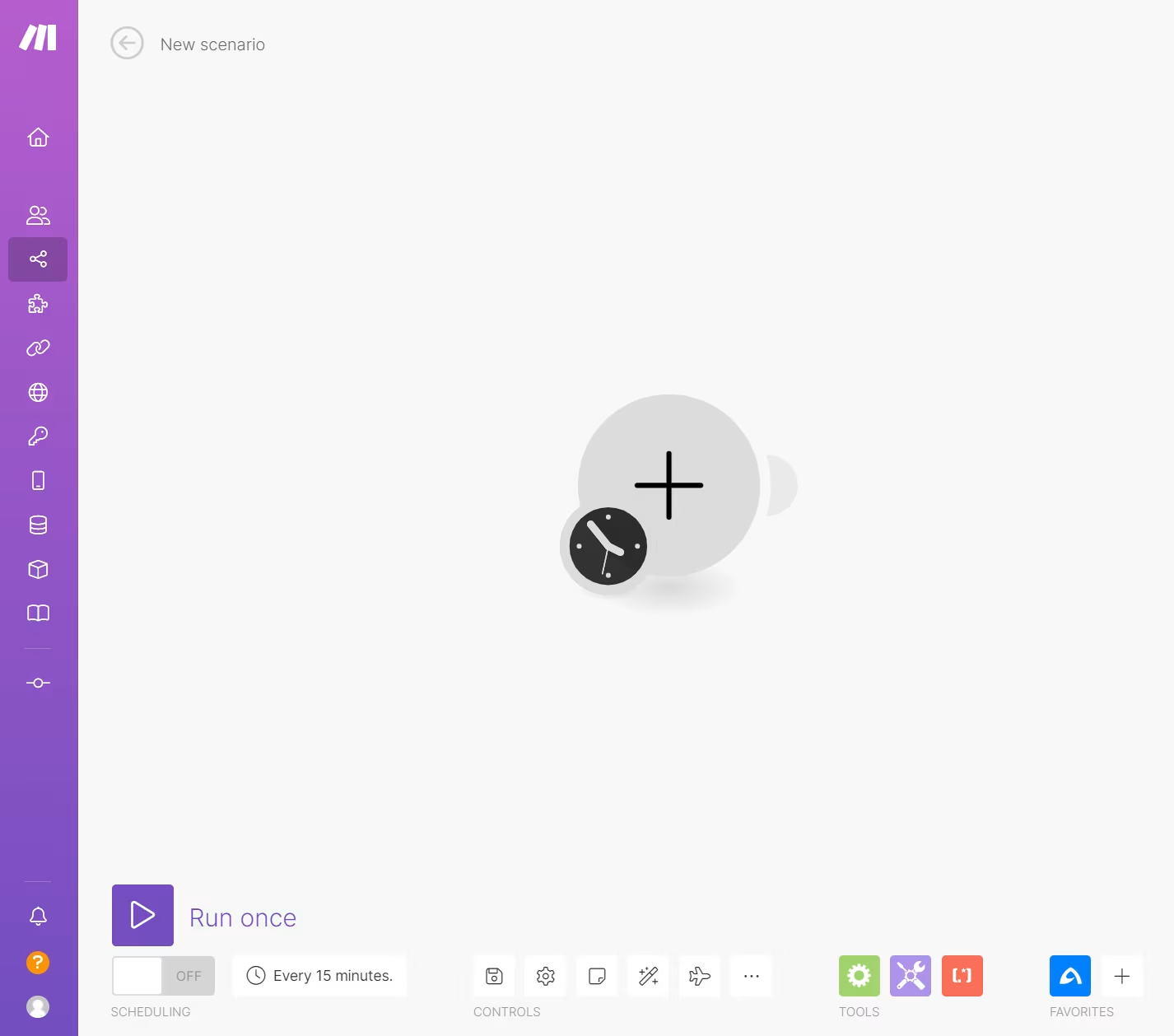
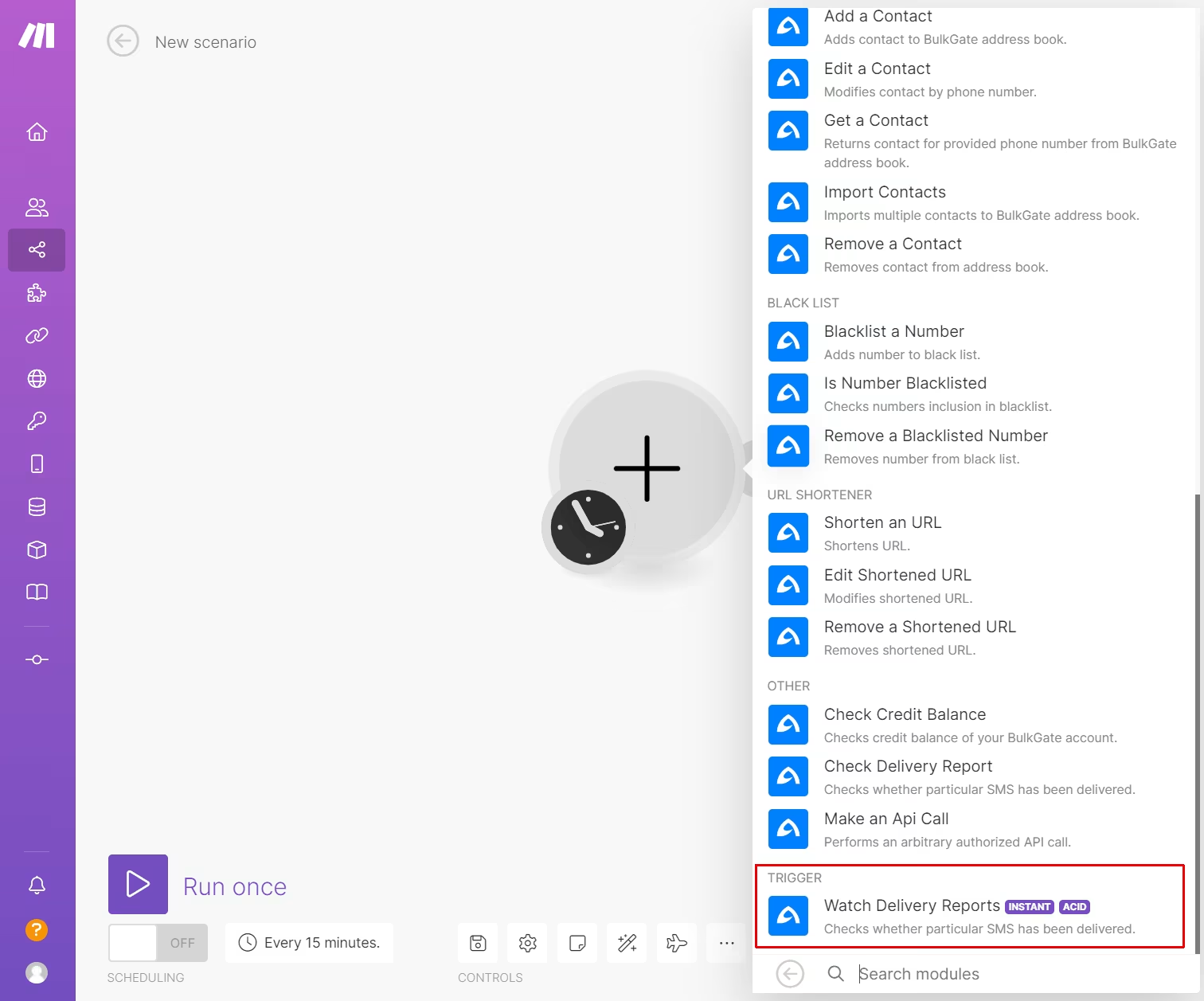
- Choose
Watch Delivery Reportstrigger. Do not mistake it with Check Delivery Report.
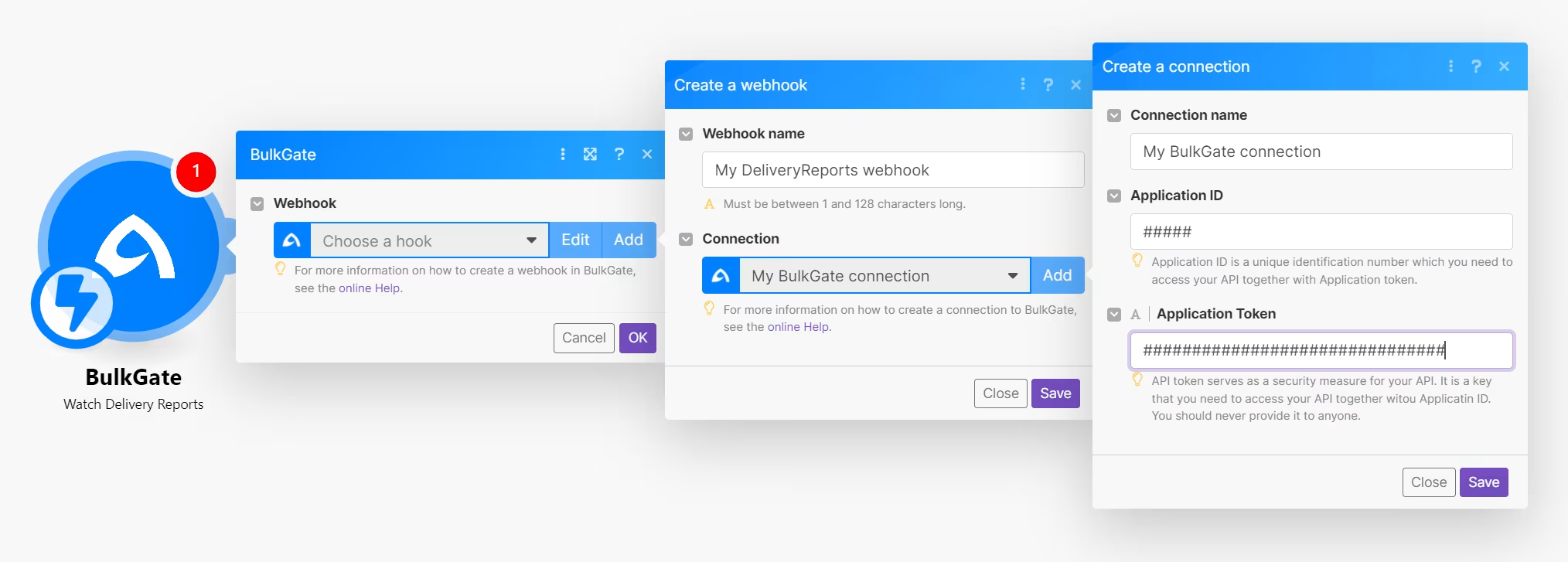
- Next step is to create a connection with BulkGate API. If you wonder where to obtain parameters
Application IDandApplication tokenvisit Getting access data page.
- This step is very important. Finish configuration of your Make scenario, save it, and activate it before proceeding to the next step.
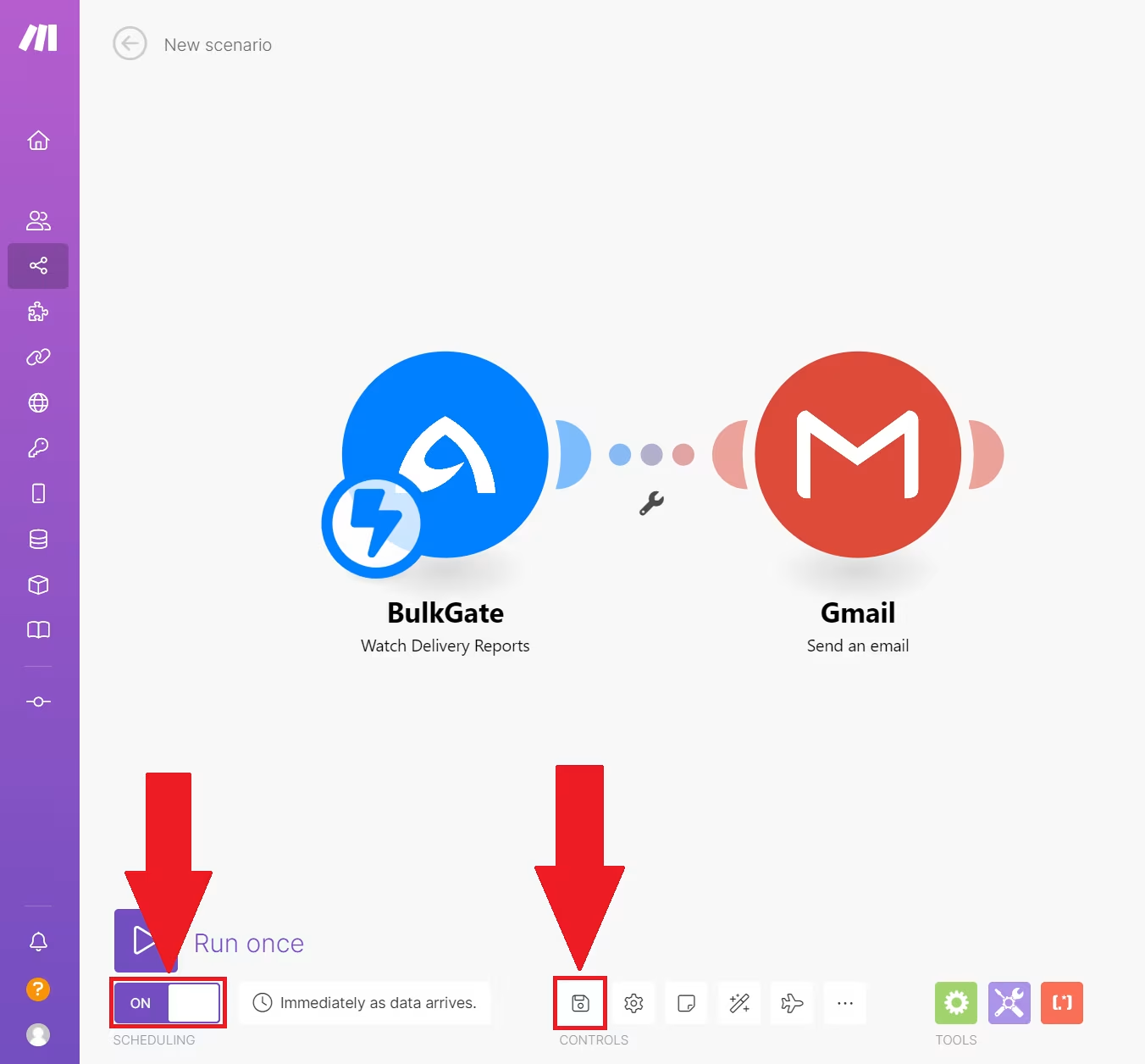
- Copy generated webhook from Make.
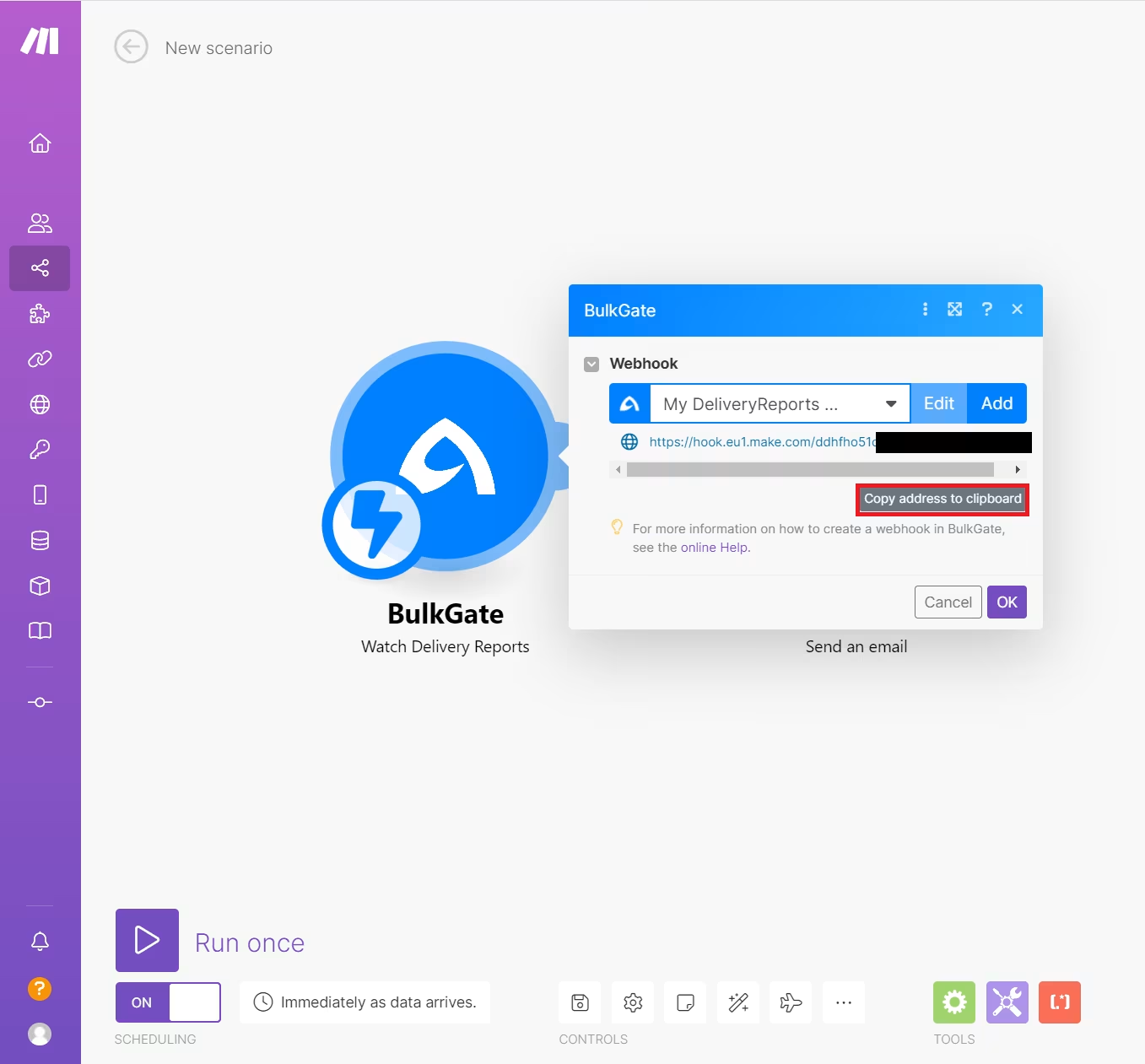
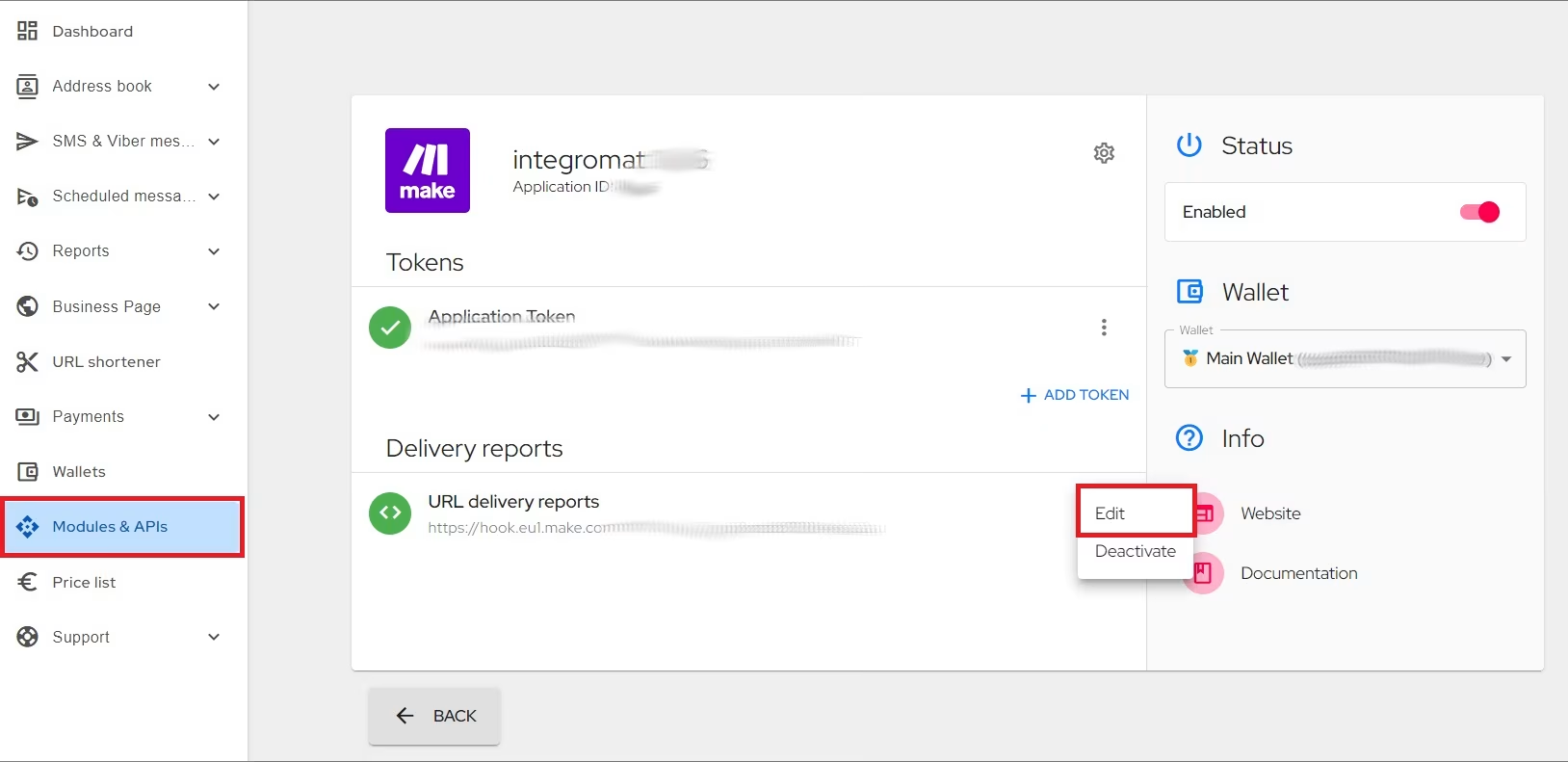
- Paste it to BulkGate API in
Delivery reportssection.
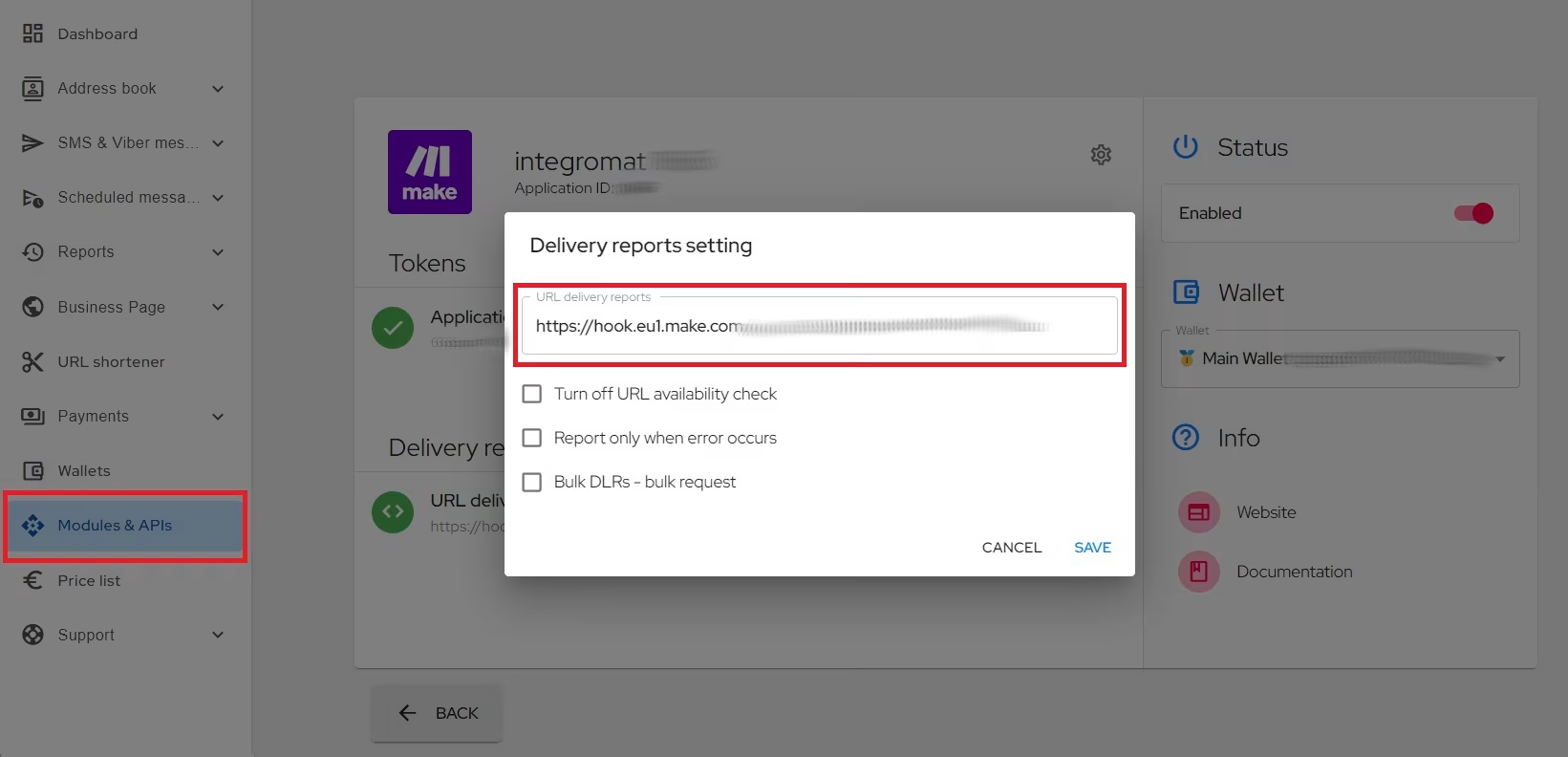
- Make sure to tick
Bulk DLRs - bulk requestoption and save.
- Next step is to send SMS message via used API to test functionality of trigger.
Was this page helpful?
Thank you for your feedback.