Nothing found
-
Address book
-
Campaigns
-
SMS
- Sender ID profile
- Sender type
- Unicode
- Message concatenation
- How to register a sender
-
Text sender ID registration
- Albania
- Australia
- Austria
- Belarus
- Bosnia and Herzegovina
- Bulgaria
- Croatia
- Czechia
- Finland
- Ghana
- India
- Ireland
- Israel
- Italy
- Ivory Coast
- Jordan
- Kenya
- Montenegro
- Morocco
- Mozambique
- Nigeria
- North Macedonia
- Philippines
- Qatar
- Romania
- Russia
- Serbia
- Slovenia
- Spain
- Thailand
- Turkey
- Ukraine
- United Arab Emirates
- United Kingdom
- United States of America
- Prohibited SMS content in the USA and Canada
- DND (Do Not Disturb)
-
Mobile Connect
-
Partner programs
-
Integrations
-
E-commerce modules
-
Make (ex Integromat)
- vTiger
-


Message shortener
What is the Message shortener?
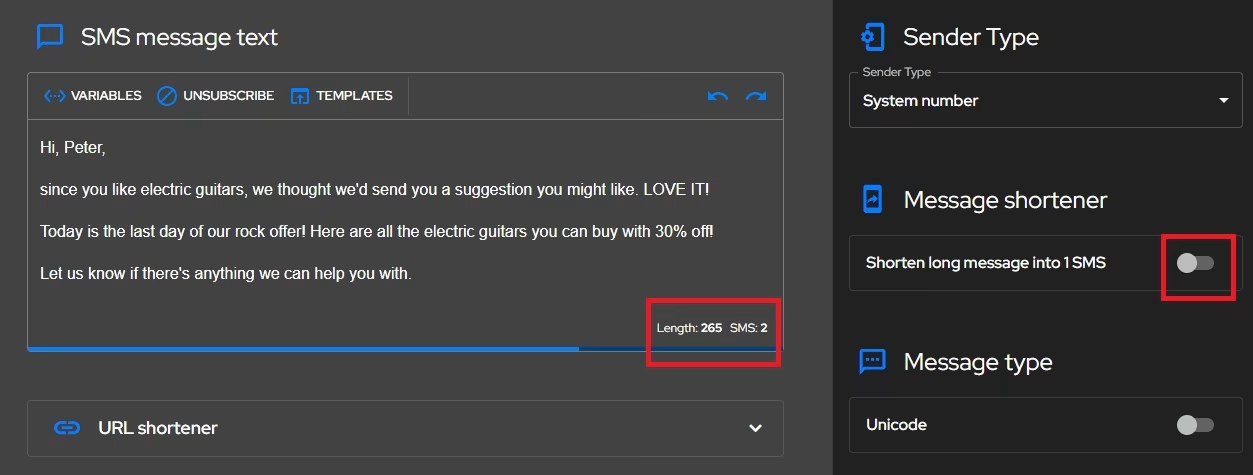
The Message shortener allows you to send text longer than the normal 160 characters in one SMS message using the Business page of your choice.
How to shorten a message using Message shortener?
To send a long message text in one SMS message:
- Go to the second step of the SMS campaign
- Paste or type the long text of your message into the message editor window.
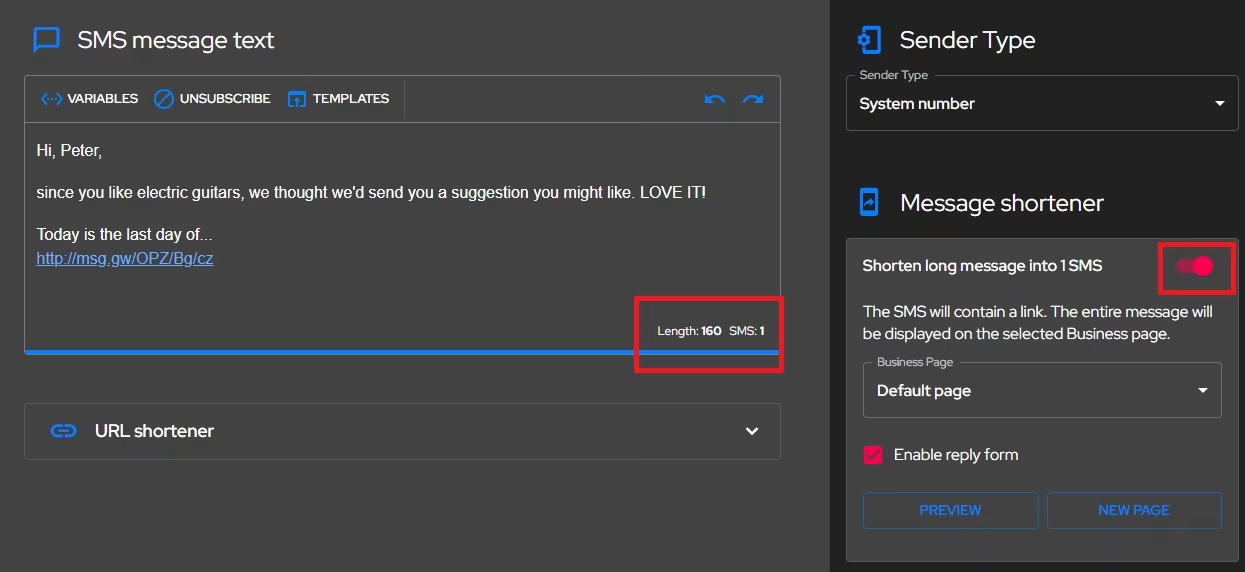
- Click on the middle right under the
Message shortenerheading to enable theShorten long message to 1 SMSswitch. - Click in the
Business pagebox, and select the Business page where you want your message to appear - To create a new Business Page, click on the
New Pagebutton. - To preview your Business page with the message text, click on the
Previewbutton. - Check the box
Enable reply formif you wish to receive a reply to your message
Proceed as for creating a campaign
How will your SMS appear on a mobile device?
Your message will display the beginning of your message text, followed by a shortened link leading to the Business page of your choice. When you click this link, the Business page will display the full text of your message.
Was this page helpful?
Thank you for your feedback.