Nothing found
-
Address book
-
Campaigns
-
SMS
- Sender ID profile
- Sender type
- Unicode
- Message concatenation
- How to register a sender
-
Text sender ID registration
- Albania
- Australia
- Austria
- Belarus
- Bosnia and Herzegovina
- Bulgaria
- Croatia
- Czechia
- Finland
- Ghana
- India
- Ireland
- Israel
- Italy
- Ivory Coast
- Jordan
- Kenya
- Montenegro
- Morocco
- Mozambique
- Nigeria
- North Macedonia
- Philippines
- Qatar
- Romania
- Russia
- Serbia
- Slovenia
- Spain
- Thailand
- Turkey
- Ukraine
- United Arab Emirates
- United Kingdom
- United States of America
- Prohibited SMS content in the USA and Canada
- DND (Do Not Disturb)
-
Mobile Connect
-
Partner programs
-
Integrations
-
E-commerce modules
-
Make (ex Integromat)
- vTiger
-


Webhook setup for delivery reports
Zapier delivery report webhook setup
- In order for Zapier to catch delivery reports for further use in Zap it needs to use Zapier's build-in app
Webhooks.
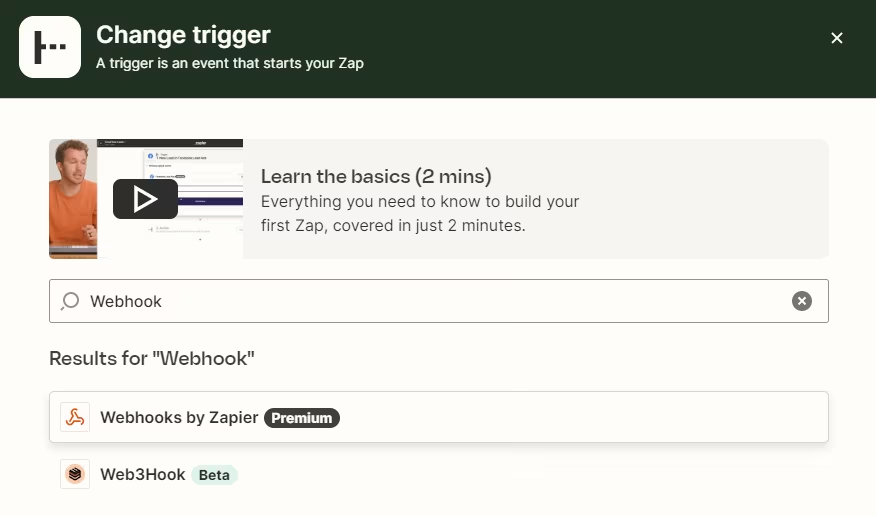
- Choose
Catch hookoption and press continue.
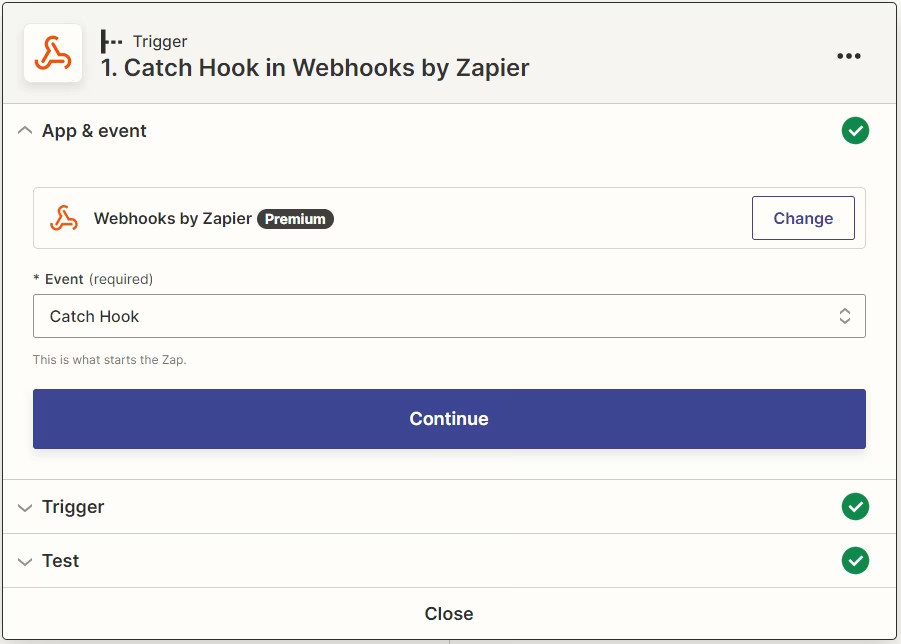
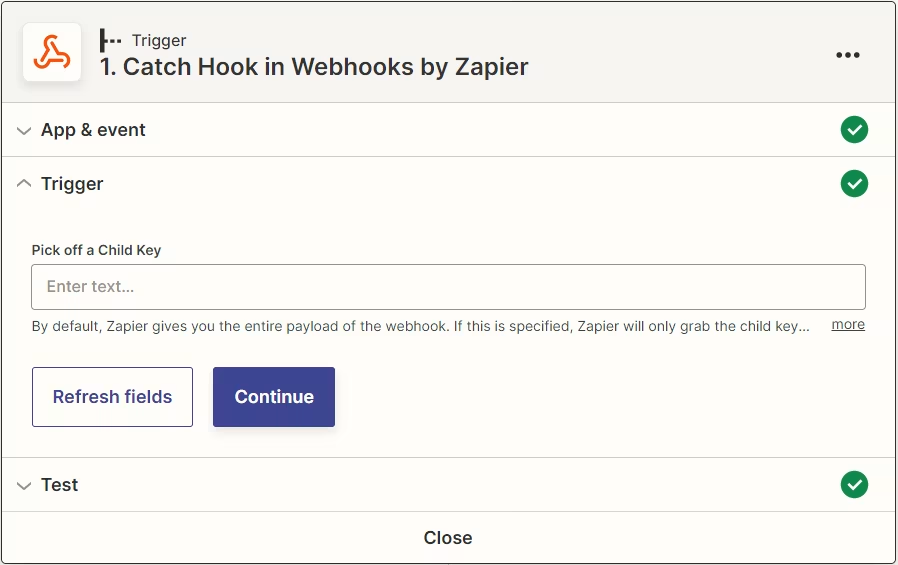
- After URL is saved in your API click continue. Next tab allows you to pass only specific data (optional).
- Copy generated URL.
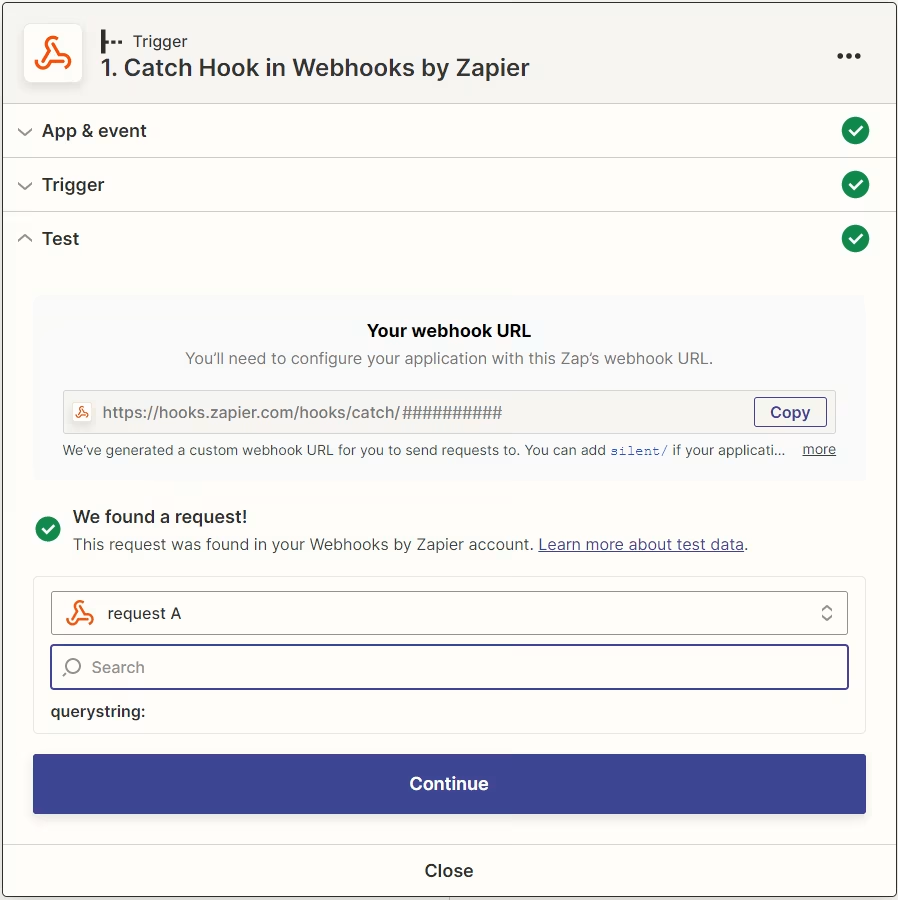
- Paste it to the
Delivery reportssection in your API.
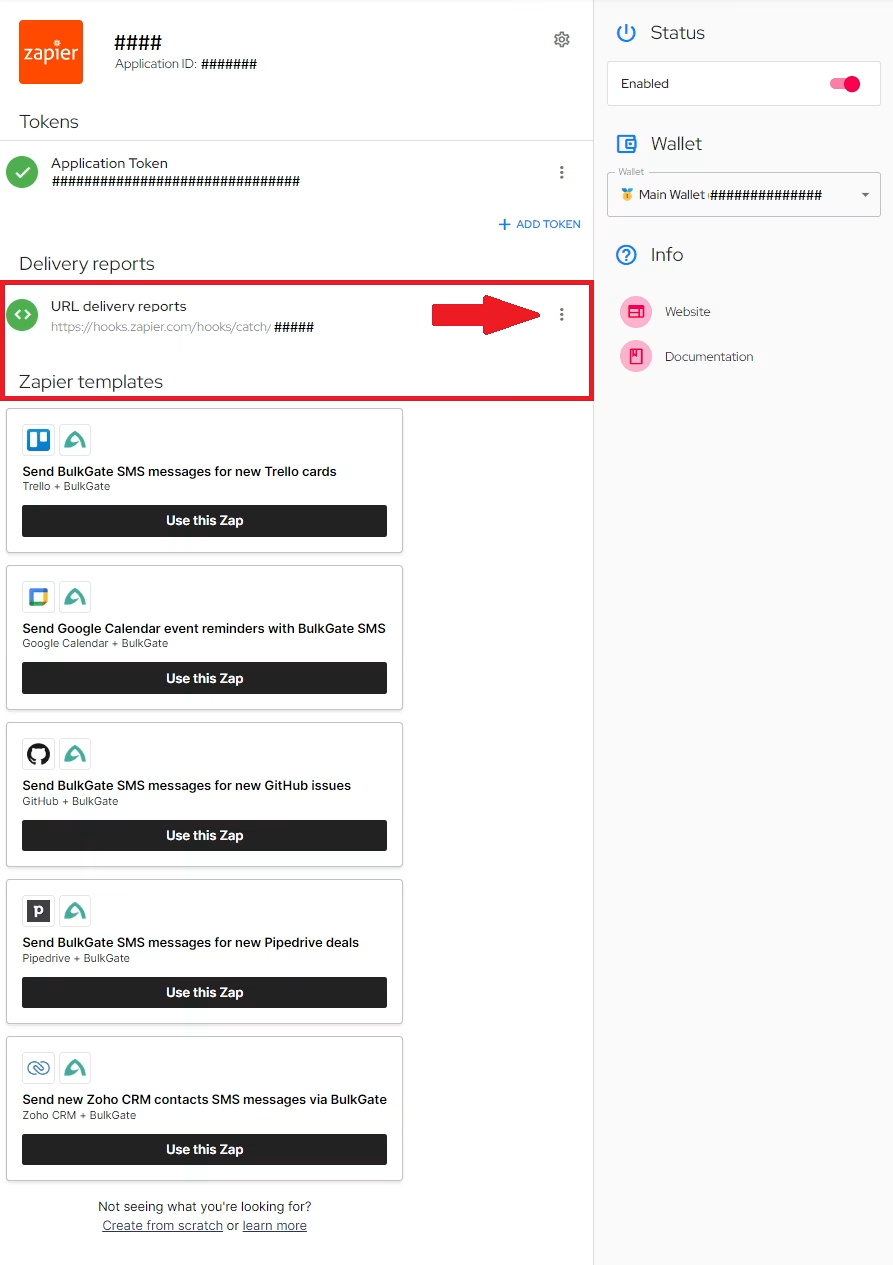
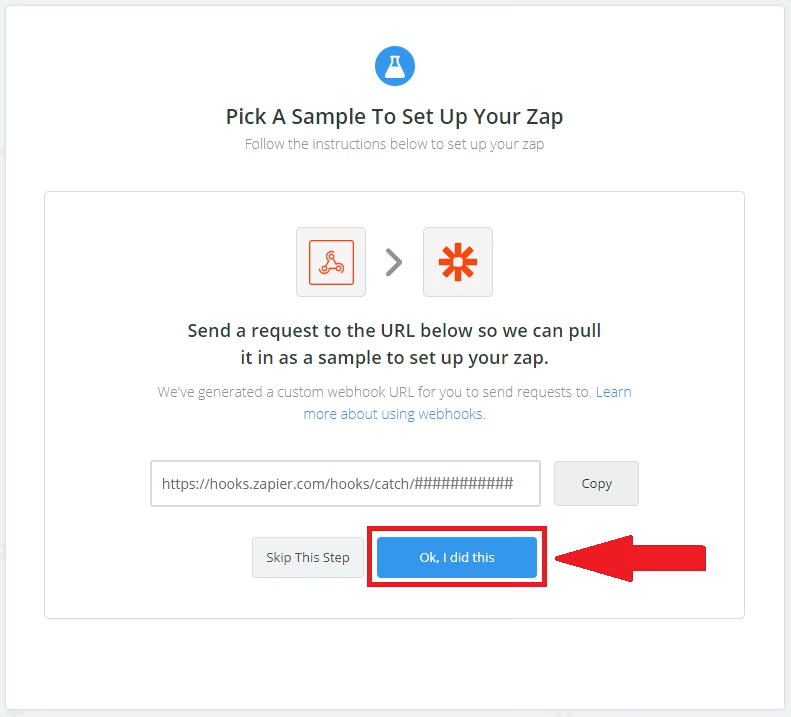
- To test functionality of webhook you need to click
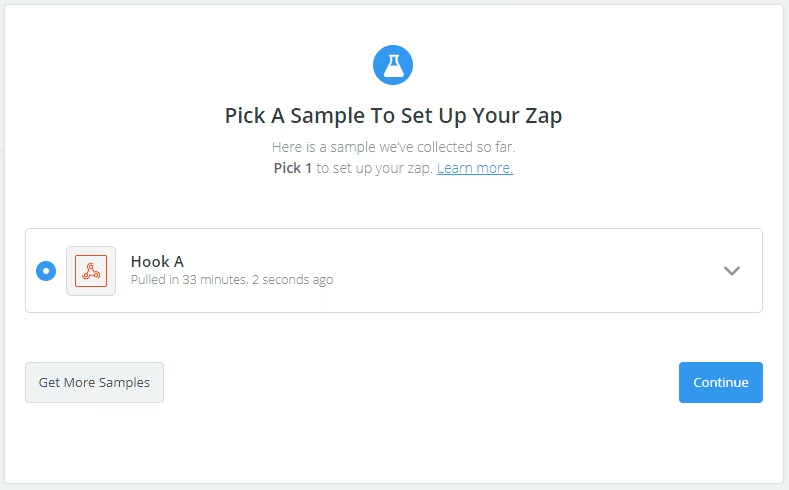
Ok I did thisbutton and send an SMS for Zapier to get a sample for future use. As soon as BulkGate delivers SMS, Zapier will receive sample data for you to preview.
- In case you need to filter specific delivery reports use 'Only continue if' module filtering specific status value
| STATUS | DESCRIPTION |
|---|---|
| 1 | SMS successfully delivered |
| 2 | SMS buffered on SMSC. SMS will be delivered later. Recipient is unavailable. |
| 3 | SMS not delivered. Unknown/unavailable recipient. |
| 10 | Incoming SMS or SMS answer |
| 13 | Message seen (Viber only) |
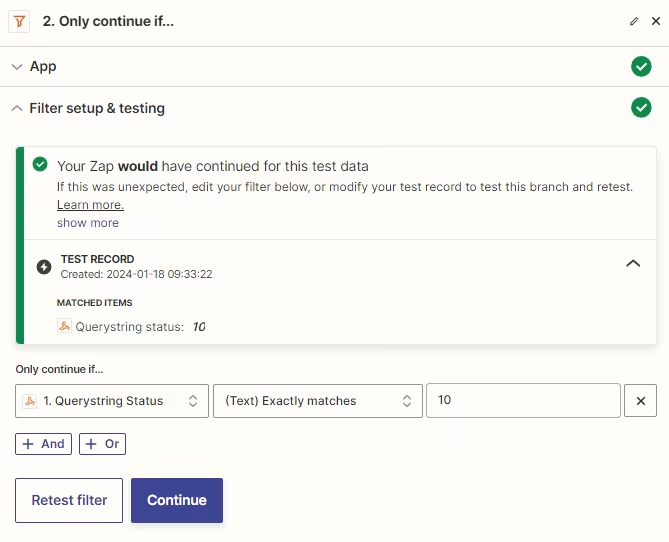
- Your zapier webhook has been successfully setup
Was this page helpful?
Thank you for your feedback.