Nothing found
-
Address book
-
Campaigns
-
SMS
- Sender ID profile
- Sender type
- Unicode
- Message concatenation
- How to register a sender
-
Text sender ID registration
- Albania
- Australia
- Austria
- Belarus
- Bosnia and Herzegovina
- Bulgaria
- Croatia
- Czechia
- Finland
- Ghana
- India
- Ireland
- Israel
- Italy
- Ivory Coast
- Jordan
- Kenya
- Montenegro
- Morocco
- Mozambique
- Nigeria
- North Macedonia
- Philippines
- Qatar
- Romania
- Russia
- Serbia
- Slovenia
- Spain
- Thailand
- Turkey
- Ukraine
- United Arab Emirates
- United Kingdom
- United States of America
- Prohibited SMS content in the USA and Canada
- DND (Do Not Disturb)
-
Mobile Connect
-
Partner programs
-
Integrations
-
E-commerce modules
-
Make (ex Integromat)
- vTiger
-


Creating Viber campaign
Viber for Business
Viber Business messages allow you to connect and communicate with your customers using the Viber application. Unlike traditional SMS messages, Viber for Business is cheaper and allows you to send longer messages.
How do I create Viber campaign?
To create Viber campaign:
- Click
SMS & Viber messagingin the left menu - Click
Create campaign - Select either Viber separately or Viber and SMS, where the SMS channel will serve as a backup for recipients who do not use the Viber application (after the expiration of the Viber message, the campaign message will be delivered as an SMS)
- Enter a name of your campaign
- Click
Create - Upload your contacts and click
Next - In the step
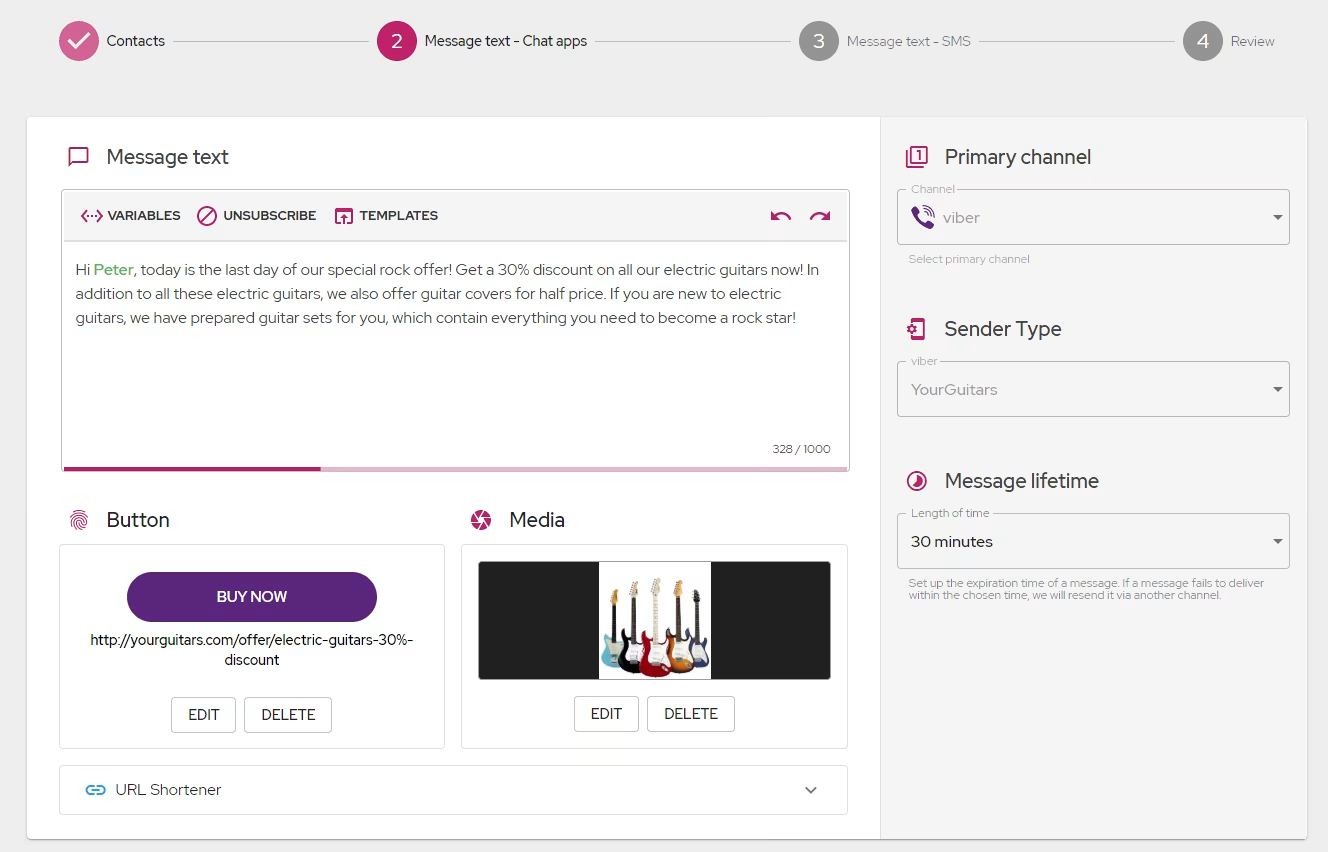
Message text – Chat appsenter the text of the Viber message. Here, unlike with the SMS message, you can use up to 1000 characters, upload an image, and add a click button. In this step, select one of your registered Viber senders and set the message lifetime. When you are done with this step, clickNext
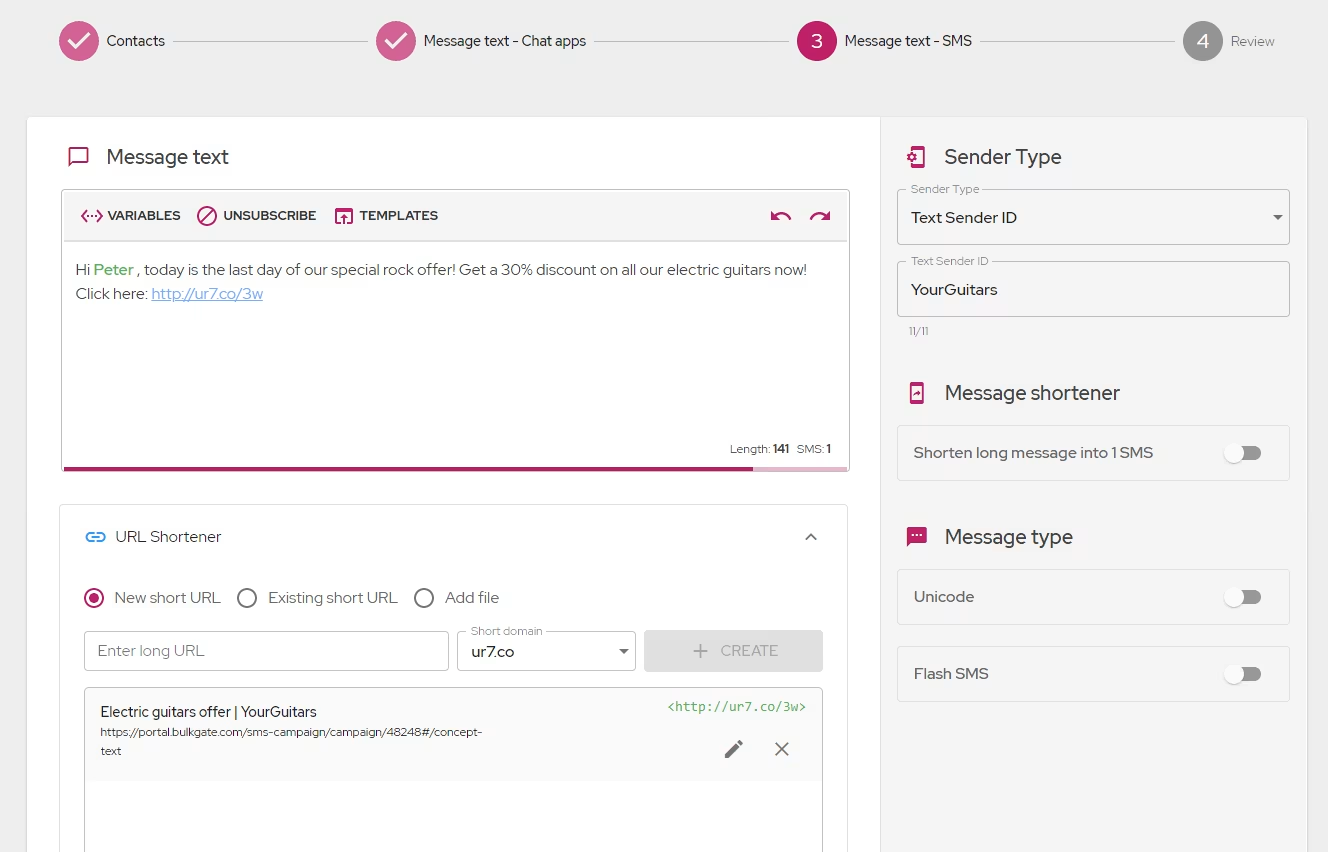
- If you selected an SMS channel together with Viber in step 3, then in the next step you will create a text for SMS as a backup of the Viber message. When you are done with this step, click
Next
- In the
Review,you can see a summary of the campaign. Note that you can change the coverage for estimated delivery, which will directly affect the estimated costs. Make sure everything is set up correctly in the review and clickSend
Message expiration when SMS is selected as a backup channel
If you choose SMS as a backup channel for undelivered Viber messages, the Viber expiration value you set is ignored. The expiration time for SMS messages is governed by the expiration time set internally by each mobile operator, which ranges from 48 to 72 hours.
Was this page helpful?
Thank you for your feedback.