Nothing found
-
Address book
-
Campaigns
-
SMS
- Sender ID profile
- Sender type
- Unicode
- Message concatenation
- How to register a sender
-
Text sender ID registration
- Albania
- Australia
- Austria
- Belarus
- Bosnia and Herzegovina
- Bulgaria
- Croatia
- Czechia
- Finland
- Ghana
- India
- Ireland
- Israel
- Italy
- Ivory Coast
- Jordan
- Kenya
- Montenegro
- Morocco
- Mozambique
- Nigeria
- North Macedonia
- Philippines
- Qatar
- Romania
- Russia
- Serbia
- Slovenia
- Spain
- Thailand
- Turkey
- Ukraine
- United Arab Emirates
- United Kingdom
- United States of America
- Prohibited SMS content in the USA and Canada
- DND (Do Not Disturb)
-
Mobile Connect
-
Partner programs
-
Integrations
-
E-commerce modules
-
Make (ex Integromat)
- vTiger
-


Getting access data
Connecting BulkGate to Make
To connect BulkGate to Make follow the steps below:
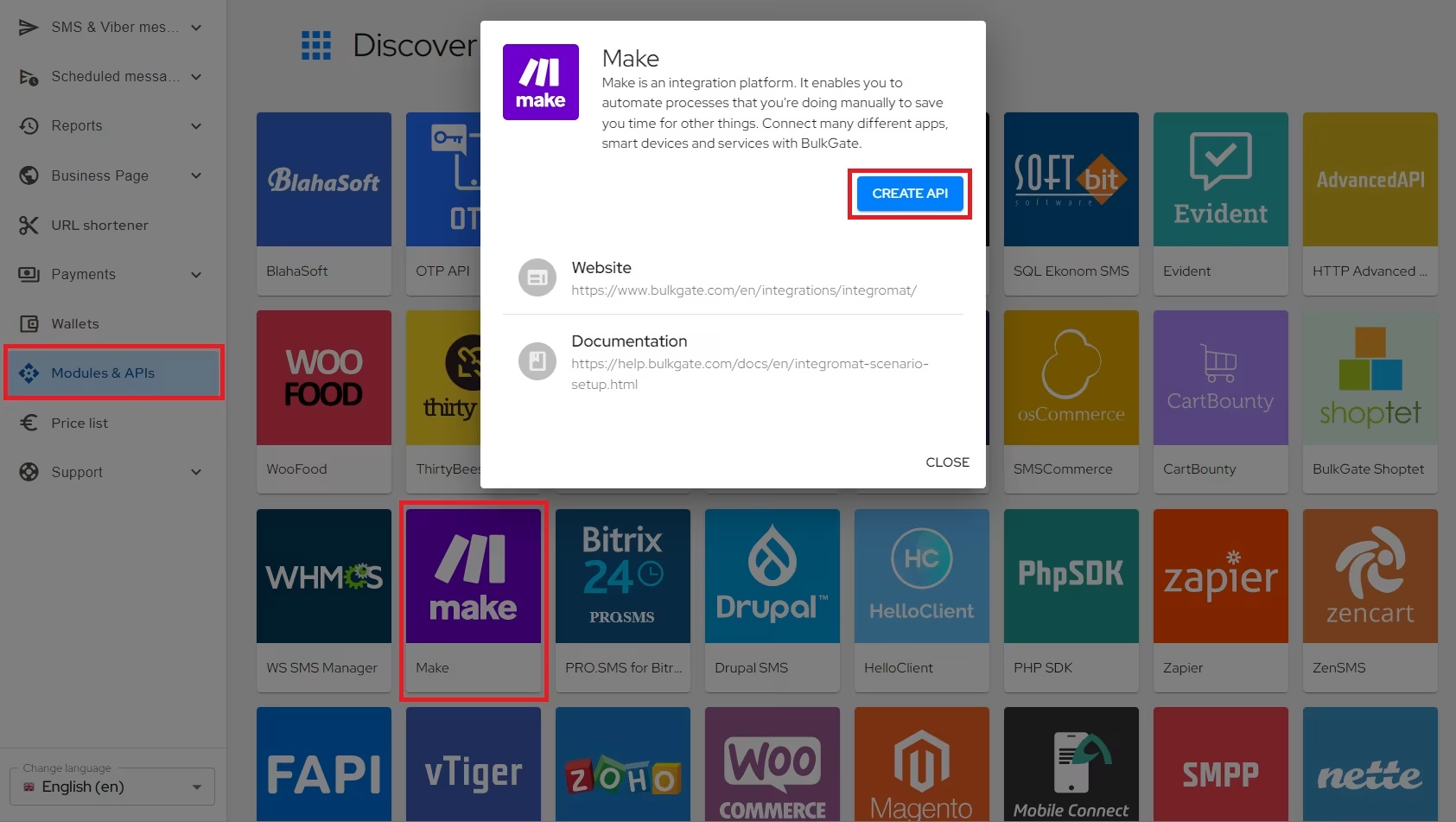
Step 1: Create API
- After you register and log in to BulkGate Portal, click
Modules & APIsin the left menu - Select
Make - Click
Create API
Step 2: Get Application ID and Application Token
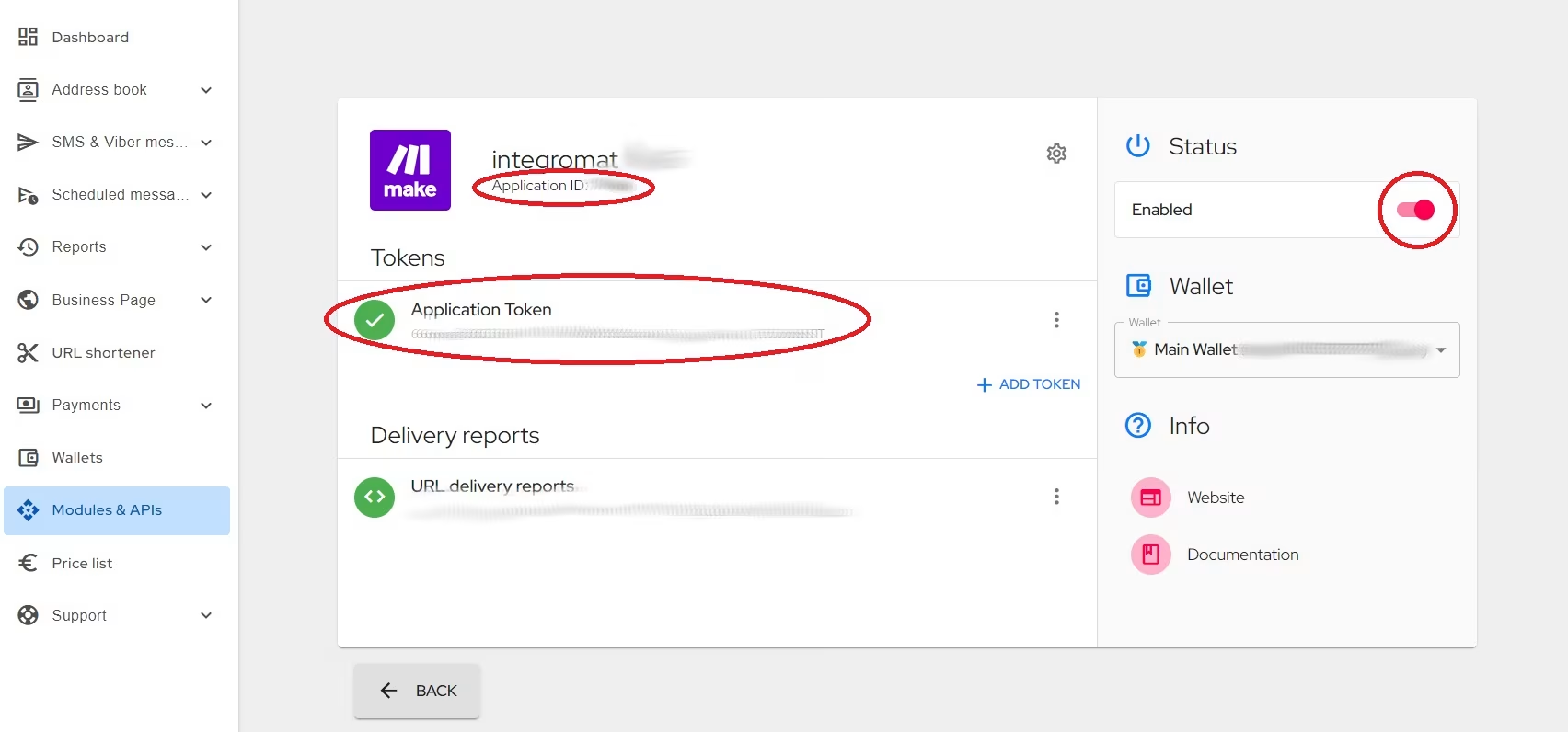
- Copy the
Application IDandApplication tokento your clipboard as you will need them for scenario setup Make sure the API is activated.
Was this page helpful?
Thank you for your feedback.