Nothing found
-
Address book
-
Campaigns
-
SMS
- Sender ID profile
- Sender type
- Unicode
- Message concatenation
- Dedicated number and replies
- How to register a sender
- Sender ID shows as a number
-
Text sender ID registration
- Albania
- Australia
- Austria
- Belarus
- Bosnia and Herzegovina
- Bulgaria
- Croatia
- Czechia
- Finland
- Ghana
- India
- Ireland
- Israel
- Italy
- Ivory Coast
- Jordan
- Kenya
- Montenegro
- Morocco
- Mozambique
- Nigeria
- North Macedonia
- Philippines
- Qatar
- Romania
- Russia
- Serbia
- Slovenia
- Spain
- Thailand
- Turkey
- Ukraine
- United Arab Emirates
- United Kingdom
- United States of America
- Prohibited SMS content in the USA and Canada
- DND (Do Not Disturb)
-
Mobile Connect
-
Partner programs
-
Integrations
-
E-commerce modules
-
Make (ex Integromat)
- vTiger
-


Delivery reports and replies do not reach my webhook
When delivery reports or incoming SMS (replies) do not reach your webhook, the cause is usually in the application settings in the portal or on your server. Below is how to find the problem and what to send to support if that does not help.
Is the webhook set on the right application?
The webhook is set separately for each application (API). If you send through several applications or wallets, check the one your messages actually go through.
- In the portal, open
Modules & APIs. - Under
My APIs and Modules, open the application card. - On the
Settingstab, check theDelivery reportstile in theWeb hookssection.
If the tile shows You have no settings., no webhook is set. The procedure is in Webhook.
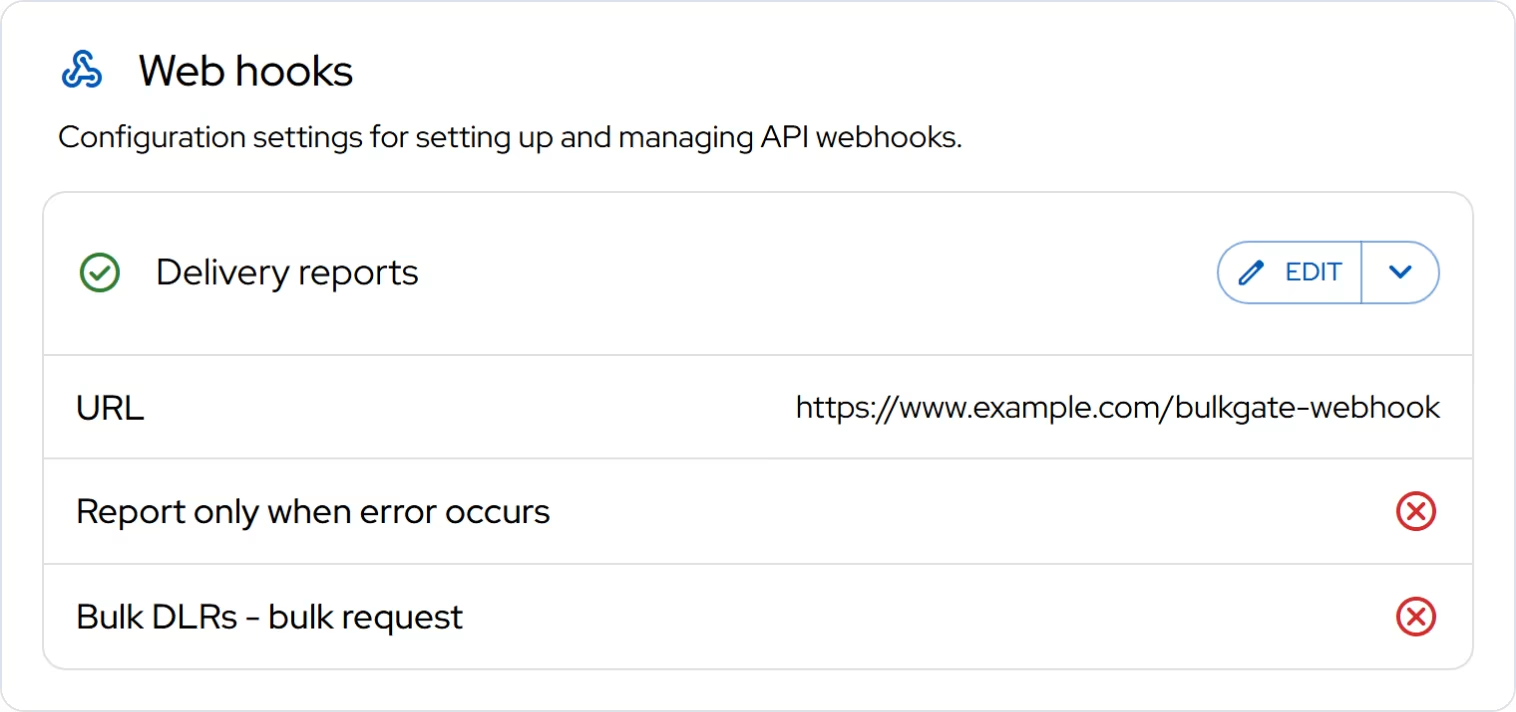
Delivery reports and incoming SMS go to one address. You recognise incoming SMS by status 10. There is no separate URL for replies.
Is "report only on error" turned on?
The Report only when error occurs option sends a delivery report only for failed messages. Nothing arrives for delivered messages. If you want all delivery reports, turn the option off.
Are you expecting the right data format?
- Default mode: one request per message, using GET. The format is described in Delivery confirmations.
Bulk DLRs - bulk request: a batch of records using POST withapplication/json. The format is described in Bulk delivery confirmations.
If your server expects a different format, the request arrives but your application does not process it.
Does your server respond correctly?
- The address must be reachable from the internet and start with
http://orhttps://. - The server must respond quickly and with the status code
200. Slow or failing processing holds up the delivery of further reports. Push heavy work onto a queue and acknowledge the request right away. - A firewall or bot protection must not block our requests. Check your server logs: did the requests arrive, and with what response?
Why are incoming SMS not arriving?
Replies only arrive when the message went out with a sender type that supports two-way SMS in the recipient's country. More in Dedicated SMS number and receiving replies. With your own number and Mobile Connect, replies go to your phone, not to the webhook.
If you delete the webhook, both delivery reports and replies stop arriving.
What to send to support
If you have gone through the points above and the data still does not arrive, write to us through the contact form with the subject API and send:
- the message ID of the original message (see Message ID,
- the URL you have set for delivery reports,
- for incoming SMS, a screenshot from the phone showing the time and text of the reply,
- what you see in your server log: the request did not arrive, or it arrived with an error?
Frequently asked questions
How do SMS delivery reports work?
A delivery report (delivery confirmation) tells you what happened to the message in the operator's network: whether it was delivered or not. BulkGate stores the status with the message, so you can see it in the message history in the portal. If the application has a webhook set for Delivery reports, the report is also sent to your URL. Confirmations usually arrive within minutes. What each status means is described in Message not delivered.
Which IP addresses does the webhook come from?
If you need to allow our servers in your firewall, write to us with the subject API.
Can I receive delivery reports by e-mail?
With the Email > SMS interface, delivery reports go by e-mail to Email delivery reports, not to a URL.
Thank you for your feedback.